
Best Medical Alert Systems for Seniors (2026)
Quick answer: for most seniors who live alone, a monitored system with automatic fall detection is the strongest choice — but the right type depends on whether life happens mostly at home or out in the world, and a no-monthly-fee pager only works when a family caregiver is close by.

Affiliate disclosure: As an Amazon Associate I earn from qualifying purchases. This guide contains affiliate links — it costs you nothing extra and keeps our content free. Picks here come from our research into published specifications and feature comparisons — prices and availability change, so check the current listing. Read our affiliate disclosure.
The best medical alert systems for seniors are the ones that get help to a person who cannot reach a phone. That is the whole job, and it is worth stating plainly before any talk of features: a senior falls in the bathroom, or feels unwell in the garden, presses one button — or has a fall detected automatically — and a trained operator answers, talks to them through the device, and sends the right help.
Here is the honest complication that most roundups bury: the core product here is a subscription, not a gadget you buy once. A monitored system means a monitoring center staffed around the clock, and that service is billed by the provider, month after month. Anyone who presents a monitored system as a one-time purchase is misleading you. This guide keeps those two worlds separate throughout, so you never mistake one for the other.
| System type | How help is reached | Best for | Monthly monitoring | Watch out for |
|---|---|---|---|---|
| In-home base station | Wearable button talks to a base unit in the house, which connects to a monitoring center | Seniors who spend most time at home | Yes, billed by the provider | Range ends at the property edge; needs landline or cellular signal at home |
| Mobile GPS device | Wearable device with its own cellular connection and GPS, works anywhere with signal | Active seniors who go out alone | Yes, billed by the provider | Needs regular charging; GPS needs a clear signal |
| Medical alert smartwatch | Watch-style device with cellular connection, GPS, and two-way talk | Seniors who refuse a pendant because it looks medical | Yes, billed by the provider | Shortest battery life; needs the most frequent charging |
| No-monthly-fee pager or auto-dialer | Button alerts a caregiver receiver in the home, or dials preset numbers directly | Homes where a caregiver is nearby and reliably reachable | No monitoring center fee | No professional monitoring; no dispatch unless it dials emergency services; limited range |
How a Medical Alert System Actually Works
A monitored medical alert system has three parts: a wearable help button, a connection, and a monitoring center. The button is worn as a pendant, a wristband, or a watch. Pressing it opens a two-way voice channel — through a base station speaker in the home, or through the wearable device itself — to a trained operator. The operator talks to the wearer, works out what kind of help is needed, and either calls emergency services, contacts family members from the list on file, or both. If the wearer cannot answer, the operator typically dispatches emergency services and notifies the emergency contacts anyway.
With automatic fall detection, there is a fourth step before any of that: sensors in the wearable watch for the motion pattern of a fall. When the pattern is detected, the device usually gives the wearer a short window to cancel — by pressing a button or speaking — and if there is no cancellation, it opens the channel to the monitoring center on its own. That sequence matters for a senior who falls and cannot press anything: unconscious, injured, or simply unable to reach the button.
The Four System Types, Compared
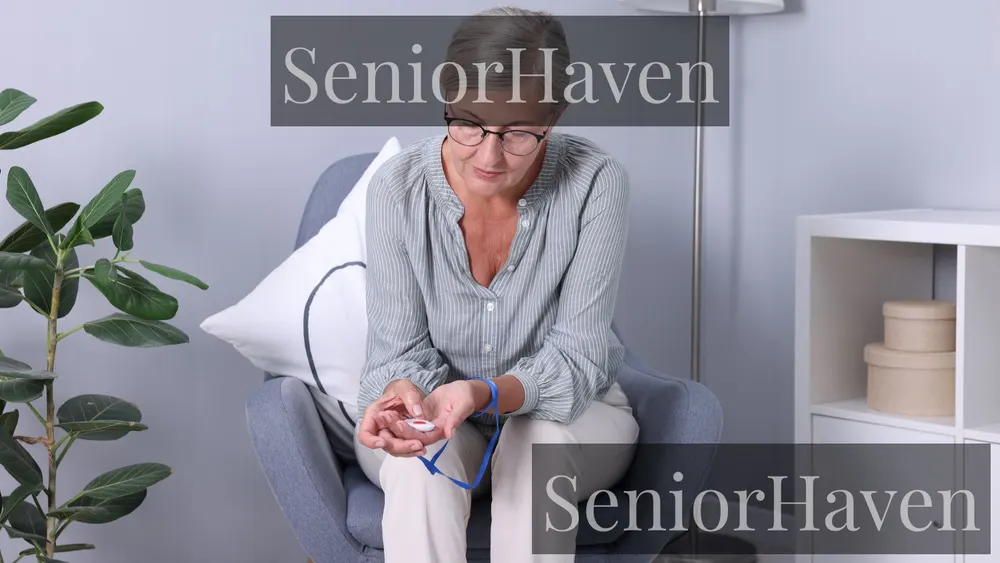
In-home base stations are the classic system. A base unit sits on a table or mounts on a wall, connects by landline or cellular signal, and pairs with a wearable button that works within a range around the house. Published ranges for in-home systems commonly run from several hundred feet to well over a thousand feet, which covers most houses and yards — but range claims assume open space, and thick walls, multiple floors, and large properties shrink real-world reach.
Mobile GPS devices remove that boundary. The wearable carries its own cellular connection, so it works anywhere with signal — the grocery store, the park, the car — and GPS lets the monitoring center and family see where the wearer is.
Medical alert smartwatches are mobile devices dressed as ordinary watches. They carry a touchscreen, GPS, two-way talk, and often step counting and similar extras. Their real advantage is psychological: many seniors who refuse a pendant will wear a watch, because it looks like consumer electronics rather than medical equipment.
How We Chose What to Recommend
That honesty shapes the recommendations. Rivals in this space mostly publish lab-tested rankings with a single overall winner, and their winners disagree with each other — one names a premium provider best overall, another names a budget provider, another names a smartwatch. The big reviewer names — NCOA, AARP, SafeWise, Consumer Reports, Forbes, and Wirecutter — all publish tested rankings and disagree on a winner, which is why this guide reproduces none of their scores. Forum threads, including Reddit discussions, are useful for recurring complaints, such as charging lapses and confusing contracts, but never a substitute for checking current plan terms. When tested rankings disagree that widely, the useful answer is rarely a single brand. It is a decision framework: match the system type to the life being lived, then compare providers inside that type on the handful of factors that decide whether the system works on a bad day.
We also weighted three things rivals underweight.
In-Home vs Mobile GPS: Which One Fits Your Life
Ask one question first: does the senior leave the house alone? If the answer is almost never — a homebound senior, or one who only goes out with family — an in-home system covers the real risk at a lower ongoing cost and with far less charging to manage. If the answer is yes, regularly and alone — walking to the store, gardening, driving — then an in-home system has a hole exactly where the risk is. A fall in the driveway or at the park is outside the base station range, and that is the moment a mobile GPS device earns its keep.
The middle case is common and worth naming: a senior who goes out sometimes, but always with someone. An in-home system plus a mobile phone in a pocket is what many families already have, and it may be enough — but be honest about whether the phone is actually carried, charged, and reachable after a fall. If outings are frequent and solo, choose mobile.
One more practical check for mobile: the network. Mobile devices run on a major cellular network, and you do not need to be a customer of that network — but you do need that network to have signal where the senior lives, walks, and drives.
Fall Detection: What It Can and Cannot Do
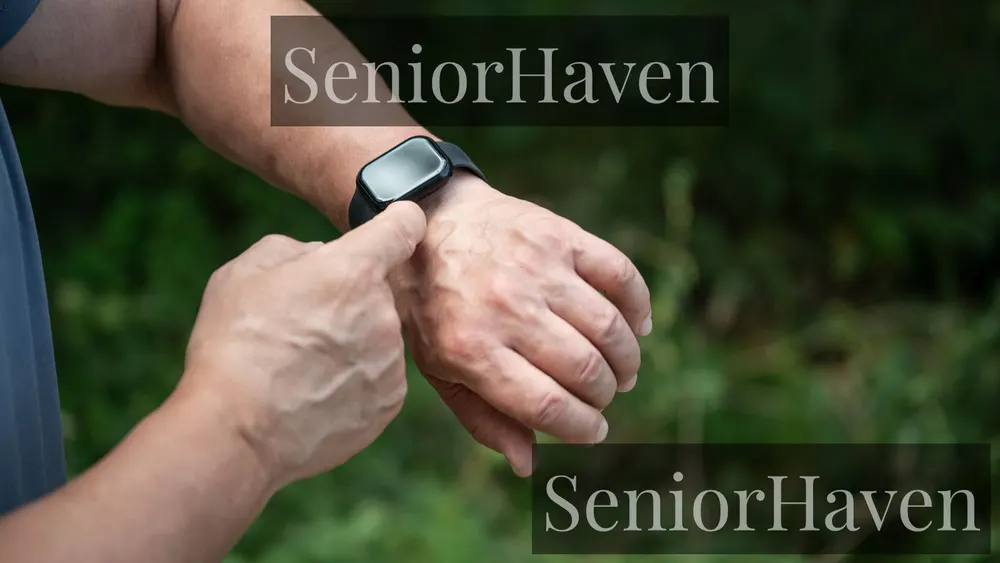
Fall detection uses motion sensors — accelerometers and similar sensors — to recognize the pattern of a fall: a sudden drop, an impact, then stillness. When that pattern is detected, the device starts its countdown and, if the wearer does not cancel, contacts the monitoring center automatically. For a senior who falls and cannot press a button, that automatic call is the feature that justifies the whole system.
Now the honest limits, because rivals often soften them. Fall detection may not detect every fall. Slow falls — sliding off a chair, crumpling against a wall — may not match the impact pattern. Falls onto soft surfaces may register weakly. And false alarms happen: a dropped device, a vigorous arm movement, or a bump can trigger a call that must then be cancelled. The right expectation is that it catches many hard falls that would otherwise go unanswered, and that the occasional false alarm is the price of that coverage.
Who actually needs it? Start with fall history and living situation. A senior who lives alone and has fallen before, or who has balance problems, dizziness, or a condition that could cause sudden incapacitation, is the clearest case. A senior who lives with an attentive spouse and has never fallen may reasonably skip it and save the add-on cost — the button itself still summons help whenever it is pressed.
Monthly Cost: The Factors That Move It, Not a Price List
This guide deliberately prints no prices. Providers change them, run promotions, and vary them by plan length, and a printed figure would be stale within weeks — worse, it would mislead exactly the families comparing carefully. What you need instead is the list of factors that move the monthly total, so you can compare like with like when you ask providers for current figures.
Monitoring itself is the base. Every monitored system charges for the monitoring center: trained operators, around the clock, every day of the year. That is the core of what you are buying, and it is why monitored systems cannot be free. Equipment is the second factor. Some providers include equipment at no separate charge; others charge a one-time equipment fee, and that fee can differ sharply between a basic pendant and a smartwatch. Ask whether the equipment is leased or owned, and what happens to it if you cancel. Fall detection is usually an add-on on top of the base monitoring charge, charged per device that carries it. Contract length is the fourth factor: paying quarterly or annually often lowers the monthly figure versus month-to-month, but it locks you in — weigh the saving against the freedom to leave if the system does not suit.
Then the smaller factors that surprise people. Activation fees appear with some providers and not others. Spouse coverage may be included or charged per extra wearable. Protection plans or warranties may be optional extras.
No-Monthly-Fee Options: What You Give Up
No-monthly-fee devices fall into two families, and understanding the split prevents the commonest disappointment in this category. Caregiver pagers are a button and a receiver: press the button, and a receiver elsewhere in the house chimes loudly. There is no monitoring center, no phone call, and no dispatch. They work within wireless range inside the home — typically a few hundred feet through walls, less in large or solidly built houses — and they work only while someone is there to hear the chime and respond. Auto-dialers are the second family: press the button, and the device calls numbers you programmed, in order, until someone answers, sometimes ending with emergency services if nobody picks up. Neither family involves a monitoring subscription, and that is the whole appeal.
The trade-offs must be stated without softening. A pager cannot help when the caregiver steps out to run errands, goes to sleep with the receiver in another room, or simply does not hear it. An auto-dialer depends entirely on someone answering their phone — and on the programmed numbers being current. Neither family offers a trained operator to assess the situation, calm the wearer, or decide whether emergency services are needed.
So who are no-fee devices right for? The clearest case is a senior who lives with family, where the real need is calling someone from another room — from bed, from the bathroom, from the garden — rather than summoning emergency services while alone. They are the wrong choice as the sole protection for a senior who lives alone.
One more trap to check on any device advertised as having no monthly fee: read whether phone-call or text-alert features carry their own charges, and whether any app features require a plan. A device can be honestly free of a monitoring fee while still charging for cellular alert features. The question to ask is not whether there is a monthly fee in the headline, but whether there is any recurring charge at all, for anything, over the life of the device.
What You Can Genuinely Buy on Amazon (and What You Cannot)
Here is the line this guide will not cross: a monitored medical alert subscription is not an Amazon purchase, and we will not pretend otherwise. What you genuinely can buy on Amazon are the one-time-purchase devices and accessories in the no-fee family — and for those, Amazon search links are honest and useful. Everything below in this section is that family only.
Wireless caregiver pagers are the strongest Amazon fit: button-and-receiver sets that need no subscription, no wiring, and no app. Personal alarm pendants and SOS buttons are the second fit: wearable buttons that sound a loud local alarm or alert a paired receiver, useful for summoning someone nearby. Fall-alert pendants sold as standalone products are a third, narrower fit — devices that call preset numbers or trigger a local alarm on a detected fall — with the same unmonitored limits stated above.
- Wireless caregiver pager set — Search on Amazon
- Personal alarm pendant for seniors — Search on Amazon
- SOS panic button alarm for elderly — Search on Amazon
- Fall alert pendant device — Search on Amazon
Sections of this guide with no Amazon link have none on purpose. The monitored-system sections, the Medicare section, and the AARP section carry no shopping link because there is no genuine Amazon purchase inside them, and a forced link there would mislead a reader into thinking a subscription can be bought like a gadget.
Life Alert-Style Systems: Why Everyone Searches That Name
Life Alert is the brand name most Americans know, because its commercials made one phrase famous — and because of that, many people search for Life Alert when they mean the whole category. That is worth understanding, because it shapes buying mistakes. In reality, Life Alert is one provider among many, and the category now includes providers with different contract terms, equipment styles, and feature sets.
The monitored providers you will meet in every roundup include Medical Guardian, Bay Alarm Medical, MobileHelp, LifeFone, LifeStation, ADT, and Lifeline, and they differ more on contract terms and equipment charges than on the button itself. What shoppers usually discover when they compare is that contract terms differ more than devices do. Some providers offer month-to-month plans with no long commitment; others tie lower monthly figures to longer contracts. Those terms, rather than the button itself, are often where one provider genuinely beats another for a given family — and they are also where rushed decisions hurt, because a long contract signed the week after a fall is hard to unwind if the device turns out to be the wrong fit.
The practical advice for a Life Alert searcher is simple: use the brand as your baseline, then compare at least two other providers on the same basket — same system type, same fall detection choice, same contract length — and ask each one the questions listed near the end of this guide. If the famous brand wins that comparison for your situation, buy it with confidence. If another provider wins on terms that matter to you, you have lost nothing by checking. The name on the commercial is not a safety rating, and familiarity is not a feature.
Battery Life and Charging: The Routine That Decides Everything
Battery design splits cleanly by system type, and the split decides who should own the charging job. In-home wearable buttons commonly run for years on a single battery — the provider often monitors battery status and sends a replacement before it dies.
Mobile devices are the opposite. A mobile wearable typically needs charging every few days, and a smartwatch more often — sometimes daily. What matters is whether the charging routine is realistic for this senior. A senior who charges a phone every night without fail will manage a mobile device. A senior who forgets to charge a phone will forget to charge a medical alert device too, and the device will be dead on the night it is needed.
Three battery questions to ask any provider: how long does the wearable last between charges in normal use, how does the wearer know it needs charging, and what happens when it dies — does the provider or the caregiver app warn anyone, or does it simply go silent? A low-battery warning that reaches a family member is worth more than a slightly longer battery life that dies without telling anyone.
Waterproofing and the Shower Question
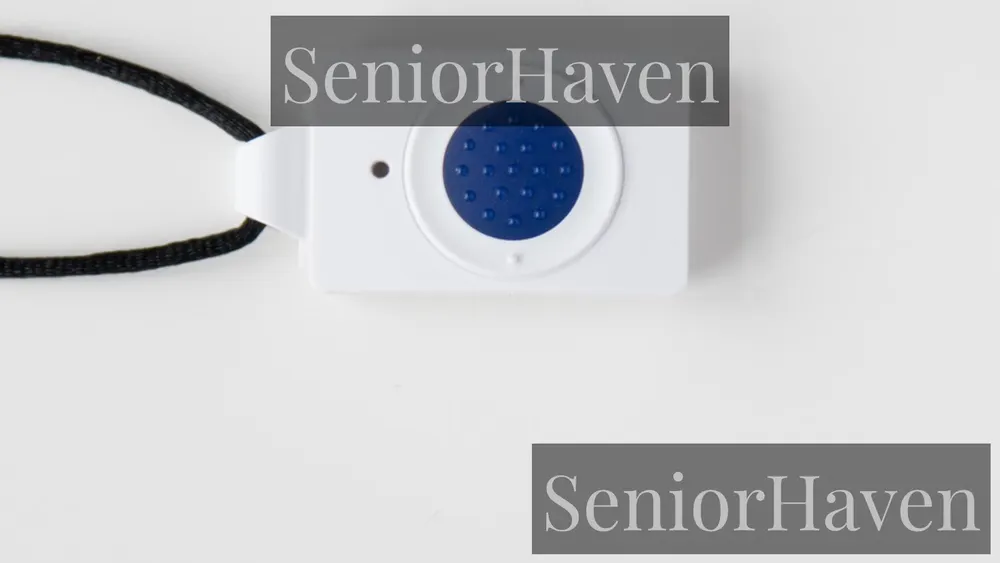
The bathroom is where this question stops being theoretical. Bathrooms combine hard floors, water, and the movements — standing, turning, stepping over a tub edge — that cause falls, and a senior who removes a pendant before showering is unprotected exactly where protection matters most. Most modern wearables are at least water-resistant, and many are fully waterproof enough for showering — but the two words are not the same, and listings sometimes blur them.
Water-resistant generally means the device survives splashes and rain. Waterproof generally means it survives immersion — showering, and in some cases bathing. For a device meant to be worn in the shower, you want the stronger claim, stated plainly on the listing, and you want to know whether the base station or charging cradle shares that rating. A pendant that must come off before a shower is a pendant with a daily gap in coverage, and daily gaps become habits.
Two related bathroom points. First, the help button must be reachable from the floor: a pendant worn around the neck stays reachable after a fall in a way that a wall button across the room does not, which is one reason wearables beat fixed wall buttons as the primary device. Some families add wall buttons in the bathroom as a second layer — a good idea, but a supplement, not a substitute, because a fallen person may not be able to reach the wall.
Caregiver Apps, Lockboxes, and Spouse Coverage

Caregiver apps are where monitored systems have improved most in recent years, and they are also where providers differ most. A good app shows the wearer location for mobile devices, the device battery level, and the signal status, and it notifies family when an alert is triggered or when the device goes offline. A weaker app shows little more than a button to call the provider.
Two app cautions. First, an app is not a monitoring center: if the app alerts you but you are asleep, driving, or out of signal, nothing further happens unless the monitoring center is also involved — which is exactly why monitored systems pair the app with operators. A senior who feels tracked will stop wearing the device; a senior who understands that location is only used in an emergency, and who helped choose who sees it, will usually accept it. Agree the circle of who sees what before the device arrives, not after the first argument about it.
Lockboxes deserve a paragraph of their own because they solve a problem families discover too late: responders arrive and cannot get in. A lockbox is a small, code-secured box mounted near the door holding a house key. The code is held by the monitoring center and given to responders when dispatched. Ask whether the provider includes a lockbox, sells one, or expects you to buy your own — and make sure the code on file is current whenever locks change.
Spouse coverage is the last piece of this section, and it matters for couples. Some providers cover a second person in the same household at no extra monitoring charge, with a second wearable; others charge per person. If both partners need protection, compare the pair total, not the single figure — and remember the fall detection point from earlier: detection follows the device, so a second wearable without detection is a second button, not a second safety net.
Setup Burden: Who Does the Work, and the Monthly Test Habit
Setup burden is where good systems fail in real homes. An in-home system is usually the simplest: plug in the base station, pair the button, make a test call. A mobile device adds charging cradles, app installation, and account setup. A smartwatch adds the most: pairing, app permissions, and learning a touchscreen. None of that is hard for a tech-comfortable family member — but the question is who does it, and whether that person will be there on delivery day. The most common setup failure is not technical at all: the box arrives, the senior opens it alone, gets confused, and the device sits unopened.
Dexterity, hearing, and vision shape setup and daily use more than spec sheets suggest. A button that is small, stiff, or hard to find by touch will not be pressed in a panic. When a trial period is available, use it to test these human factors, not just the technology: can the senior press the button with arthritic hands, hear the operator clearly from the floor, and read the charging light without glasses?
Then the habit that keeps the system honest: test monthly. Press the button, confirm the operator answers, confirm they can hear you and you can hear them, and confirm the location they hold for a mobile device is right. Seniors who have tested their device are far more likely to press it in a real emergency than seniors who have never heard the operator voice.
The AARP Angle: What AARP Does and Does Not Do
AARP appears in medical alert searches for two different reasons, and separating them prevents confusion. First, AARP publishes its own tested picks and buying advice, produced with older testers and lab checks on fall detection, connection speed, audio clarity, operator professionalism, and GPS accuracy. Second, people ask about AARP-branded Medicare Advantage plans, which is a different question entirely and belongs in the next section.
What AARP advice adds beyond other roundups is the human testing angle: whether testers would actually wear a device, whether they felt confident relying on it, and whether setup and charging felt manageable. Those are the questions that decide real-world use, and they are worth more than a spec table.
Medicare, Medicaid, and Other Ways People Get Help Paying
The honest headline first: Original Medicare generally does not cover medical alert systems. Medicare does not classify these systems as durable medical equipment, because it treats them as a monitoring service rather than medical equipment — so Parts A and B do not pay, and a Medigap supplement does not pay either, since it only supplements what Original Medicare covers.
The exceptions are real but narrow, and every one of them ends with the same instruction: check your specific plan. Some Medicare Advantage plans — private Part C plans — include a medical alert system as a supplemental benefit, sometimes covering part or all of the cost, sometimes providing a specific device, sometimes offering an allowance. Availability varies by plan, county, and plan year, and the benefit may require using the plan contracted provider. If you hold a Medicare Advantage plan, including one carrying the AARP name, call the plan or read the Summary of Benefits document and ask directly whether a personal emergency response benefit is included, what it covers, and for how long. Some state Medicaid programs may cover a system, but this varies by state, so the state Medicaid office is the authority, not a general article. Veterans may find help through VA programs where there is a medical justification. Long-term care insurance policies sometimes include a home-care benefit that covers a system.
Special Situations: Living Alone, Rural Homes, Dementia, Hearing Loss, Active Seniors
Living alone is the strongest case for a monitored system with fall detection. For this senior, the monitoring center is not a luxury — it is the responder.
Rural homes need a different check first: signal. A cellular in-home system is only as good as the cellular signal at the house, and a landline system only as good as the landline. Rural families should test both, prefer the connection that is actually reliable at the address, and be wary of any provider that cannot say which network its device uses.
Dementia changes the decision in two ways. First, GPS tracking and caregiver apps become central: a senior who wanders needs a mobile device whose location family can see, and geofencing alerts if offered. Second, wearing discipline becomes harder: a device that is removed and forgotten, or refused, protects no one. Simpler devices, comfortable wear styles, and routines built by caregivers matter more than feature lists here.
Hearing loss deserves a specific test during any trial: can the senior hear the operator through the device speaker, from the floor, in a noisy room? Small smartwatch speakers are the weakest here; base station speakers and larger mobile devices are usually clearer. If hearing is the limiting factor, prioritize speaker clarity over styling, and test with the senior hearing aids in their normal state — not in a quiet showroom moment.
Active seniors — walkers, gardeners, drivers, travelers — need mobile GPS, full stop. An in-home system protects the house they are more and more not in. For this group, weight and discretion matter enormously, because a device that feels like a burden will be left behind on the walk where it is needed.
Talking to a Parent About Wearing One
Most resistance to medical alert systems is not about technology. It is about identity: accepting the device feels like accepting frailty, and a proud parent will quietly refuse anything framed as a concession to age. The framing that works, consistently reported by caregivers and occupational therapists alike, is independence, not fear. Lead with staying in their own home longer, not with what might happen.
Practical tactics help more than arguments. Put the device on during a normal visit, not during a crisis conversation. Walk the senior through a test call so they hear a friendly operator voice rather than imagining an alarm. If the objection is appearance, show the smartwatch and jewelry-style options rather than defending the pendant. Leave the door open, keep the conversation kind, and revisit it after the next scare, when the senior own motivation may have shifted.
Mistakes Buyers Make
Mistake 1: Buying the famous brand without comparing. The brand from the commercials may be right for you, but you will never know unless you compare it on the same basket against two other providers. Familiarity is not a feature.
Mistake 2: Buying a monitored system as if it were a gadget. The subscription is the product. Families who budget for a one-time purchase and then discover the monthly charge feel misled and sometimes cancel in frustration — read the plan terms before ordering, not after the first bill.
Mistake 3: Buying a no-fee pager for a senior who lives alone. The pager only works if someone is there to hear it. For a lone senior, that is the wrong tool, however attractive the absence of a monthly charge.
Mistake 4: Skipping the trial test at the real locations. Testing the button in the living room proves nothing about the garden, the bathroom, or the walking route. Test everywhere the senior actually goes.
Mistake 5: Choosing the device nobody will wear. A pendant with better specs that sits in a drawer loses to a watch with adequate specs that stays on a wrist. Wearability is a safety feature.
Mistake 6: Forgetting the charging owner. A mobile device without a named person responsible for charging is a device with a countdown to silence. Name the owner before you buy.
Mistake 7: Assuming coverage that does not exist. Original Medicare generally does not pay, and a Medicare Advantage benefit must be confirmed in your plan documents. Never buy on an assumed reimbursement.
Before You Sign: Questions to Ask Every Provider
Take this list to every provider call, and compare the answers side by side. Monitoring: Is the monitoring center staffed around the clock, and where is it based? What happens if the wearer cannot speak? Fall detection: Is it included or an add-on, per device or per account, and what is the cancellation window after a detected fall? Equipment: Is equipment leased or owned, is there an equipment or activation fee, and what happens to equipment on cancellation? Contract: Is the plan month-to-month or term-based, what is the trial period, and how does cancellation work — by phone, in writing, with what notice? Battery and signal: How long does the wearable last between charges, how are low batteries flagged, and which cellular network does a mobile device use? Waterproofing: Is the wearable safe to wear in the shower, stated plainly? Caregiver app: What does the app show, who can access it, and is app access included or charged?
Two more questions that reveal more than they seem. Ask how a false alarm is handled — a provider that treats false alarms as a nuisance to be punished is telling you about its culture. The answers will tell you whether you are dealing with a service built for real senior lives, or a contract built for a sales target.
What Pairs With a Medical Alert System
A medical alert system summons help after something happens. The rest of home safety reduces the chance that something happens, and the two halves belong together. Night lighting on the bedroom-to-bathroom route — our motion sensor night lights guide — removes the dark-path falls that alert systems then respond to. Bed rails, covered in our bed rails guide, help with the getting-up moment that precedes many nighttime falls. And a walker that fits, from our walkers guide, prevents the fall that no alert system can undo.
Quick Answers: Pick by Situation
Senior who lives alone, mostly at home: monitored in-home system with fall detection, plus a lockbox.
Active senior who goes out alone: monitored mobile GPS device, smartwatch style if a pendant will be refused.
Senior who lives with family, needs room-to-room calling: no-fee caregiver pager set — the genuine Amazon fit in this guide.
Senior on a tight budget: in-home monitored system, fall detection only if the senior lives alone or has fallen before; otherwise the button alone, plus a pager for inside the house.
Couple, both needing coverage: provider with included or fairly charged spouse coverage, detection decided per person.
Rural home: whichever connection — landline or cellular — is actually reliable at the address, tested at the property edges during the trial.
Frequently Asked Questions
- What is the best medical alert system for seniors?
- There is no single best system, because the right choice depends on how the senior lives. A senior who is mostly at home is usually best served by a monitored in-home system, while an active senior who goes out alone needs a monitored mobile GPS device. Add fall detection if the senior lives alone or has fallen before. Match the system type to the life first, then compare providers inside that type.
- How does fall detection work, and can it miss a fall?
- Fall detection uses motion sensors to recognize the pattern of a fall, then gives the wearer a short window to cancel before contacting the monitoring center automatically. It may not detect every fall. Slow falls, falls onto soft surfaces, and falls that do not match the motion pattern can be missed, and false alarms do happen.
- Do medical alert systems require a landline?
- No. Many in-home systems now connect by cellular signal instead of a landline, and mobile GPS devices use cellular by their nature. A landline system is still a good choice where cellular signal is weak, such as some rural homes. Check which connection a system uses, and test it at the senior home address before committing.
- What is the difference between an in-home system and a mobile GPS system?
- An in-home system pairs a wearable button with a base station in the house, and the button only works within range of that base station. A mobile GPS device carries its own cellular connection, so it works anywhere with signal, and GPS lets the monitoring center and family see where the wearer is. In-home suits homebound seniors, while mobile suits seniors who go out alone.
- Are there medical alert systems with no monthly fee?
- Yes, but they are a different kind of product. Caregiver pagers alert a receiver elsewhere in the house, and auto-dialers call numbers you programmed. Neither includes a professional monitoring center, so neither can assess an emergency or dispatch help on its own. They suit homes where a caregiver is nearby and reliably reachable.
- Does Medicare cover medical alert systems?
- Original Medicare generally does not cover medical alert systems, because Medicare does not classify them as durable medical equipment. Some Medicare Advantage plans include a medical alert benefit as a supplemental benefit, but availability varies by plan, county, and plan year. Check your plan Summary of Benefits document or call your plan directly before counting on coverage.
- Does AARP cover medical alert systems?
- No. AARP membership itself does not pay for a medical alert system, and AARP does not sell monitoring subscriptions. AARP does publish tested picks and buying advice. Some Medicare Advantage plans that carry the AARP name may include a medical alert benefit, but that depends on the specific plan, so check your plan documents.
- What does a medical alert system cost each month?
- This guide prints no prices, because providers change them often and vary them by plan length. The factors that move the monthly total are the monitoring charge itself, any one-time equipment fee, fall detection as an add-on, contract length, spouse coverage, activation fees, protection plans, and caregiver app charges. Compare providers on the same basket of those items, over the same contract length, rather than on headline figures.
- Can I wear a medical alert device in the shower?
- It depends on the device, so check the listing or ask the provider directly. Many modern wearables are waterproof enough for showering, while others are only water-resistant, which means they survive splashes but are not rated for immersion. For a device meant to be worn in the shower, you want the stronger claim stated plainly.
- How long does the battery last on a medical alert device?
- It depends on the type. In-home wearable buttons commonly run for years on a single battery, and the base station plugs into the wall with backup power for outages. Mobile wearables typically need charging every few days, and smartwatches more often, sometimes daily.
- What happens when I press the help button?
- On a monitored system, pressing the button opens a two-way voice channel to a trained operator, through a base station speaker or through the wearable itself. The operator talks to you, works out what help is needed, and calls emergency services, contacts family members from the list on file, or both. If you cannot answer, the operator typically dispatches emergency services and notifies your emergency contacts anyway.
- What is a caregiver app, and who sees my location?
- A caregiver app lets family members see, for mobile devices, the wearer location, the device battery level, and the signal status, and it notifies family when an alert is triggered. Location sharing should be agreed as a family before the device arrives, including who sees what. An app is not a monitoring center, so it does not replace professional monitoring when no family member is available to respond.
- Is Life Alert the same as a medical alert system?
- Life Alert is one provider brand, not the name of the category. It became famous through its commercials, so many people search for it when they mean any medical alert system. Use it as a baseline if you like, then compare at least two other providers on the same system type, the same fall detection choice, and the same contract length. The name on a commercial is not a safety rating.
- What should I do if I press the button by accident?
- Stay on the line and tell the operator it was an accident. Most systems give a short window to cancel after a press or a detected fall, and operators are used to false alarms. Do not hang up without speaking, because the operator may dispatch help if they cannot reach you. An accidental press is not something to be embarrassed about, and it is a good reminder to practice the monthly test.
- How do I test my medical alert system?
- Press the button once a month, confirm the operator answers, confirm you can hear each other clearly, and for a mobile device confirm the location the operator holds is correct. A monthly test proves battery, signal, and operator in one minute, and it teaches the senior that pressing the button is safe and normal.