
Best Fall Detection Devices for Seniors in Canada: 7 Picks for 2026
The call every adult child dreads is the one that comes hours too late. In Canada, the right fall detection setup depends on Canadian providers, Canadian prices, and Canadian fine print — not a US list with the currency swapped.
How this guide is paid for: there are no affiliate links in this guide. The services below are subscriptions you buy directly from the provider, and SeniorHaven earns nothing from them. Every price and term here was read on the provider's own website on October 30, 2026 — confirm the current price before you order. Where a provider published no price, this guide says so instead of guessing. Read our affiliate disclosure.
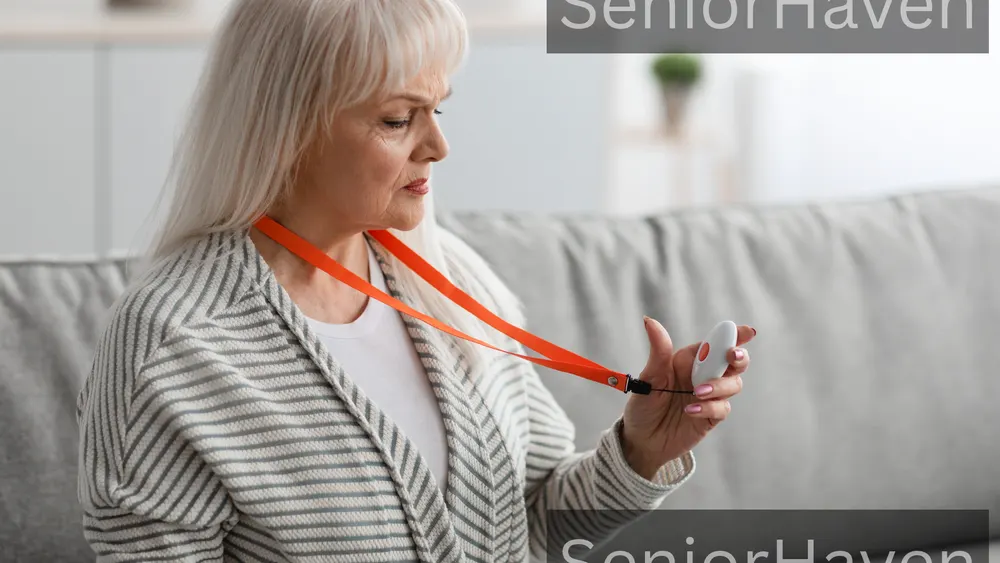
The best fall detection device for a senior in Canada is the one your parent will actually wear, on a plan whose fee and contract you understand before the first bill. A monitored Canadian service puts a trained operator between your parent's fall and 911; an Apple Watch calls emergency services directly with no monitoring centre. No device prevents falls — but the right one makes sure a fall is never a silent one. Shopping for the United States? Read our US guide — its picks, prices, and Medicare framing do not apply in Canada.
How we chose these picks (honest version)
We did not test these in a lab — no Canadian hands-on testing source exists in the search results, so anyone claiming lab results for Canada is overselling. We opened each provider's own Canadian website on October 30, 2026, and recorded what it actually says: the monthly price, whether fall detection is included or extra, the contract shape, battery life, and what happens when the button is pressed or a fall is detected.
Three rules shaped every pick. First, Canadian availability had to be real, with Canadian monitoring or a Canadian response centre stated on the provider's own pages. That removes the US names: Medical Guardian, Bay Alarm Medical, LifeFone, and MobileHelp did not verify as Canadian options, and "Life Alert Canada" prices in search results come from AI summaries, not a provider page I could open. Second, fall detection had to be available on the system named — TELUS's own table shows it on the mobile Pendant, not the base Home system, and this guide keeps that distinction.
The picks at a glance
Use this table to shortlist, then read the section for the pick that matches your parent. Every price was read on the provider's own website on October 30, 2026.
| Service | Form | Fall detection | Starting price (CAD) | Contract |
|---|---|---|---|---|
| TELUS Pendant | Mobile pendant | Included | From $55/mo, 1-year term, existing customers; $35 activation | 1-year term; month-to-month higher (unpublished) |
| Holo Pro | Pendant, GPS | Included | From $49.95/mo | No long-term commitment |
| Holo Mini | Wrist device | Included | $54.95 as listed | No long-term commitment |
| Life Assure Mobile Plus | Mobile pendant, GPS | Extra, amount unpublished | From $54.95/mo | No contract |
| Life Assure Classic Home | Base station | Extra, amount unpublished | From $34.95/mo | No contract |
| Lifeline Canada | Base station; mobile pendant | Available | Unpublished — call for quote | Cancel anytime |
| Apple Watch | Smartwatch | Built in, no centre | No monitoring fee; hardware + plan separate | No monitoring contract |
The cheapest headline (Life Assure Classic Home) excludes fall detection — the feature this guide exists for. Compare totals including the upgrade, not headlines.
Best Fall Detection Devices for Seniors in Canada — Our Picks
Each pick states what the provider's own pages say, what they do not say, and who the pick fits. Ask the "check before you buy" question on the phone — the answer belongs in writing.
1. TELUS Medical Alert Pendant — Best for TELUS households
Best for: seniors who are already TELUS Home, Mobility, or Koodo customers and want automatic fall detection with no add-on to decode.
The Pendant is the only major Canadian system whose own pages state the fall-detection feature and the price together: starting from $55 a month for existing customers on a one-year term, plus a one-time $35 activation fee, with automatic detection, a GPS locator, and a press-and-hold button for three seconds. The response chain is modern and worth understanding: an automated assistant (AVA) speaks first and asks whether help is needed, and if the wearer asks for help or cannot respond, a trained operator takes over and follows the profile's instructions, including emergency contacts and 911.
- Fall detection included — no add-on price to decode
- Canada-based monitoring, translation in 140+ languages
- Up to 6-day battery; shower-safe (IP67)
- $55 is an existing-customer, 1-year-term starting price only
- Non-customer and month-to-month prices unpublished
- An automated assistant answers before a human operator
Check before you buy: what is the month-to-month price, what does month 13 cost, and what is the exit fee if you cancel early?
2. Holo Alert Holo Pro — Best no-contract monitored pendant
Best for: seniors who leave the house daily, families who want no long-term commitment, and anyone buying outside the TELUS world.
Holo Pro is the cleanest price in this guide. Plans start at $49.95 a month, fall detection is included on every device, there is no long-term commitment, no activation fee and no hidden costs, and an annual plan saves two months free. The Pro weighs 36.9 grams, carries GPS, and its battery lasts 2–3 days.
- Fall detection included; no activation fee; no commitment
- GPS with real-time location for family caregivers
- Optional caregiver app to see location and alerts
- Device fee (if any) not stated on device pages
- Battery 2–3 days — charging is a routine to build
- Monitoring-station locations not on device pages
Check before you buy: is the device included in the $49.95, and what is the exact monthly price if you pay monthly rather than annually?
3. Holo Alert Holo Mini — Best watch-style monitored device
Best for: seniors who refuse anything that looks medical and will wear a watch when they would not wear a pendant.
The Mini is Holo's smallest device at 34 grams, worn on the wrist with a 15–20 cm strap, and it includes the same fall detection and no-long-term-commitment terms as the Pro. Its price is listed as $54.95 on the device page — five dollars above the Pro's starting price, so read the page, not the headline. The trade is battery life: 1–2 days in Always On mode, stretching to 4–7 days in Ready Mode, so the wearer must charge it daily or accept the quieter mode.
- Watch form that actually gets worn
- Fall detection included; no activation fee
- GPS with optional caregiver app
- 1–2 day battery in Always On mode
- $54.95 as listed — above the Pro's starting price
- Unprotected while charging
Check before you buy: which plan does the $54.95 price belong to, and does the caregiver app cost extra?
4. Life Assure Premium Mobile Plus — Best for families who want no contract and mobile GPS
Best for: active seniors who leave the house daily and families who refuse contracts on principle.
Life Assure is 100% Canadian-owned, with a 24/7 monitoring centre, no contract, no hidden fees, and free shipping. Premium Mobile Plus starts at $54.95 a month, with GPS, a water-resistant pendant, and a 600-foot range from the charging cradle at home.
- No contract; no hidden fees; free shipping
- Canadian-owned, 24/7 monitoring centre
- GPS mobile coverage with 600-foot home range
- Fall-detection add-on price unpublished
- Headline cannot be compared with all-in rivals
- Two-way voice range limited by cradle at home
Check before you buy: what is the exact add-on price, and what is the total monthly charge including fall detection and tax?
5. Life Assure Classic Home — Best budget starting price for home-only lives
Best for: seniors whose life happens inside one home, on the tightest budget, who accept a base-station system.
Classic Home starts at $34.95 a month — the lowest verified starting price in this guide — with the same no-contract, no-hidden-fees, free-shipping terms as Mobile Plus, a 600-foot range, and an 80-hour backup battery for power cuts. It is a home system: protection ends at the edge of the base station's range, before walls and basements shrink it.
- Lowest verified starting price ($34.95/mo)
- No contract; free shipping; 80-hour backup battery
- Simple base-station setup, no charging routine
- Fall-detection add-on price unpublished
- Home-only — no protection outside the base range
- Range shrinks through walls and basements
Check before you buy: what is the add-on price, and will you test the range in the bathroom and bedroom before the return window closes?
6. Lifeline Canada — Best established Canadian name, if the quote is right
Best for: families who want the most established Canadian medical-alert name and are willing to get the price by phone.
Lifeline Canada is the Canadian arm of the Lifeline service, with its own Response Centre in Canada, support claimed in 240 languages, and three systems: HomeSafe for the house, On the Go with GPS for out and about, and On the Go Mini. Fall detection is available, including on the wrist model, which Lifeline describes as the most widely adopted fall-detection device in the industry — the company's marketing claim, reported as such. The problem is the price: Lifeline Canada publishes none.
- Lifeline-owned Canadian Response Centre
- Three forms: home, mobile, and mini
- Cancel at any time, per the FAQ
- No prices published — phone-only quote
- Activation fee amount unpublished
- Fall-detection availability varies by model — confirm
Check before you buy: what is the total monthly charge with fall detection, what is the activation fee, and is installation charged?
7. Apple Watch with Fall Detection — Best for iPhone households that want no monitoring centre
Best for: seniors already inside the Apple world, with family nearby, who want a watch that does everything else too.
The Apple Watch is the only pick here with no monitoring centre and no monthly monitoring fee — and that is both its strength and its limit. Fall Detection is built into Apple Watch SE or later, Series 4 or later, and all Ultra models. When the sensors register a hard fall, the watch taps the wrist, sounds an alarm, and shows an alert; if the wearer does not respond within about a minute, it calls emergency services automatically and then sends a message with the location to the emergency contacts in the wearer's Medical ID.
- No monthly monitoring fee
- Calls emergency services directly after ~1 minute of immobility
- A watch people actually wear, with health features beyond falls
- No monitoring centre — nobody holds a profile or acts if contacts miss the call
- Needs an iPhone, a cellular plan, and correct setup
- Daily charging; cannot detect all falls
Check before you buy: is Fall Detection on, are the Medical ID contacts correct, and does the watch have cellular service or a nearby iPhone at all times?
Also verified: SecurMEDIC, Galaxy, and Bedford
Three more Canadian providers verified as offering fall detection, but not full picks because their prices were not verified. SecurMEDIC (a Quebec-based provider) offers the SmartSAFE Home system with fall detection and no landline required, the SmartSAFE PLUS mobile system with GPS and fall detection, and the EC100 smartwatch with fall detection, GPS, heart rate, and step counting, backed by ULC-certified Canada-based response centres — its prices sit on a separate pricing page I did not verify, so none are printed.
The Phone Call Nobody Wants
I have heard this story from enough families to know its shape by heart. A parent falls in the bathroom in the morning. The phone is charging in the kitchen. Nobody is expected until Thursday. By the time anyone knows, the fall that needed an ambulance within the hour has become a hospital stay measured in weeks. The fall itself was not the catastrophe. The hours alone on the floor were. A fall detection device does not change any of that. What it changes is the silence afterwards. Buying one feels like admitting a parent is fragile, and many parents hear it exactly that way. The framing that works is independence, not surveillance: "This is what lets you keep living in your own home, on your own terms." Involve your parent in choosing the form. A device chosen for someone, without them, lives in a drawer. A device chosen with them stays on a wrist at 3 a.m. — the only time that matters.
Automatic Fall Detection vs Button-Only — The Difference That Matters
Every device here has a button. The question is what happens when the button is never pressed — because the wearer is unconscious, confused, in too much pain, or cannot remember what the button is for. Lifeline Canada's own site puts the number at over 30% of seniors experiencing a fall being unable to push their button. That is Lifeline's claim, reported as such — but the underlying point is confirmed by every provider in this guide, including TELUS and Apple, both of which state plainly that automatic detection cannot catch every fall. The two facts live together: automatic detection is the feature that matters most, and it is imperfect. Button-only systems are cheaper and honest about what they are: a fast way to summon help when the wearer can ask.
Monitored Centre vs Direct 9-1-1 — The Decision That Matters
Before the brand, before the form, before the price: when the alert fires, who answers first? In Canada there are two honest answers, and they are different products. A monitored service — TELUS, Holo Alert, Life Assure, Lifeline Canada, SecurMEDIC — answers with its own response centre first. An operator (or, at TELUS, an automated assistant first and then an operator) speaks through the device, checks whether help is needed, and follows the instructions in the subscriber's profile: emergency contacts, 9-1-1, or both. The operator holds the address, the lockbox code, and the contact list, and acts even if the wearer cannot speak.
Pendant vs Watch vs Base Station — Pick the Form, Not Just the Brand
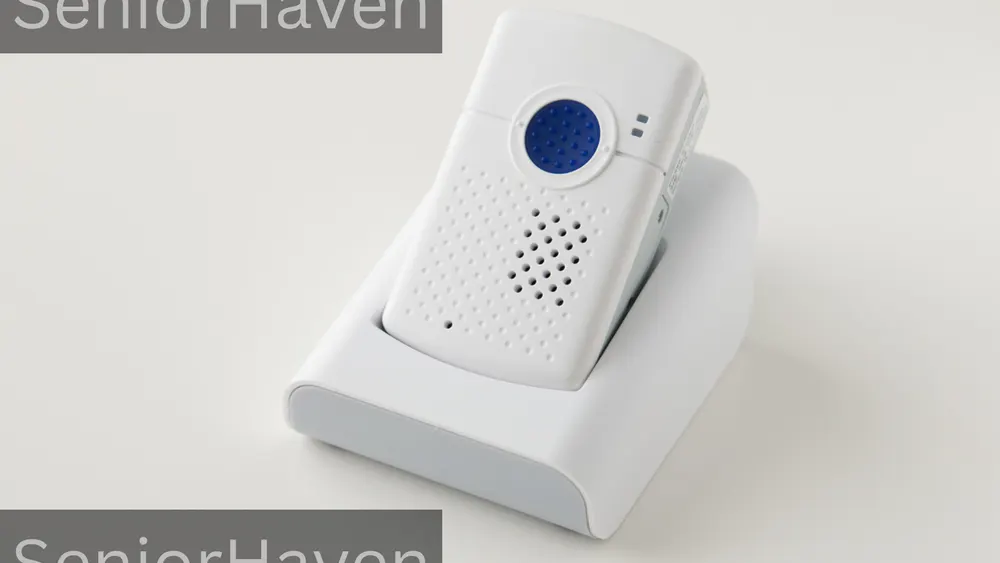
The form decides whether the device gets worn, and a device that is not worn protects nobody. A pendant (TELUS Pendant, Holo Pro, Life Assure mobile, Lifeline On the Go) wins on battery life and simplicity: put it on, forget it. It loses on dignity for seniors who hate the medical look, and on accuracy when worn wrong — TELUS says its pendant is usually most accurate on a lanyard at chest height over clothing. A watch (Holo Mini, Apple Watch, SecurMEDIC EC100) wins on exactly one thing: it gets worn, because people wear watches anyway.
The Monthly Fee Truth — What You're Actually Paying For
The monthly fee is not the price of a device. It is the price of a staffed centre that answers at 3 a.m., holds your parent's address and contacts, and acts when your parent cannot. What the fee includes, when it is honest: 24/7 access to trained operators, the cellular or base-station connection, GPS on mobile systems, the caregiver app where included, and follow-up confirming help arrived. What it often does not include: the fall-detection feature itself (extra at Life Assure, unpublished amount; included at TELUS Pendant and Holo Alert), the activation fee (TELUS $35; Holo Alert none), any device fee (not stated on the Holo device pages I read), tax, and the cost of leaving early (not published on TELUS's pages I read; Holo Alert and Life Assure state no long-term commitment; Lifeline Canada says cancel at any time).
What a Year of Fall Detection Really Costs — The Honest Worksheet
The first year always costs more than twelve months of the headline. This worksheet uses only figures verified on provider pages on October 30, 2026, and labels everything else as a question. All figures are before tax.
| Service (with fall detection) | Monthly | One-time fees verified | First-year total from verified figures |
|---|---|---|---|
| TELUS Pendant (existing customer, 1-year term) | $55 | $35 activation | $695 (12 × $55 + $35) |
| Holo Alert Holo Pro | $49.95 | No activation fee; device fee not stated | $599.40 plus any device fee — confirm first |
| Holo Alert Holo Mini | $54.95 as listed | No activation fee; device fee not stated | $659.40 plus any device fee — confirm first |
| Life Assure Mobile Plus + detection | $54.95 + unpublished add-on | Free shipping stated | Cannot be totalled until the add-on is quoted |
| Life Assure Classic Home + detection | $34.95 + unpublished add-on | Free shipping stated | Cannot be totalled until the add-on is quoted |
| Lifeline Canada (with fall detection) | Not published | Activation fee exists, amount not published | Call for a written quote |
| Apple Watch | $0 monitoring fee | Watch + iPhone + plan, prices not verified | Hardware + carrier plan — check current Canadian retail |
The cheapest honest first year here is Holo Pro at $599.40 before tax and before any device fee — not the Life Assure headline, whose total cannot be known until its add-on is quoted. And the TELUS term price is genuinely competitive for existing customers ($695 including activation) and genuinely unknowable from the website for everyone else.
Questions to Ask Before You Buy
Take this list to the phone call. A good provider answers all of it without hesitation; one that rushes you past any of these questions is telling you something about the service after the sale.
- Is fall detection included, or an extra? If extra, what is the exact amount, and is it fixed?
- What is our total monthly charge including tax — and what is it after any term ends?
- What do we pay to leave? Activation, device fees, early-exit charges, return shipping.
- Who answers first, and where are they? A Canadian centre, an automated assistant first (TELUS), or the wearer's own contacts?
- What happens, step by step, when a fall is detected? The cancel window, the call sequence, who is contacted in what order, and what happens if nobody answers.
- What languages can the wearer speak to the centre in? Ask for the wearer's language specifically, not the brochure number.
- Does it work in the shower, and what does the rating actually allow? IP67 means shower-safe with towel-drying after — not submersion in a bath.
- How long does the battery last in the mode we will use, and what happens while it charges?
- What is the usable range in our actual house? Ask for a range test in the basement, bathroom, and yard — not the brochure radius.
- Does it work where we live? Check cellular coverage at the address, not the province.
- How do we test it, and how often? TELUS says test weekly.
- How will rescuers get in if the door is locked? Give the provider the lockbox code before the first night, and update it whenever it changes.
Common Mistakes Buyers Make
Buying a US brand for a Canadian parent. US advertising follows Canadian seniors home. None of those brands verified as Canadian services with Canadian prices on their own pages. If the provider cannot show you a Canadian price, a Canadian monitoring centre, and Canadian coverage in writing, it is not a Canadian option. Comparing a price without fall detection to a price with it. The cheapest headline always excludes the feature you are shopping for. Compare totals, including the upgrade, or do not compare at all. Assuming the term price is the price. TELUS's $55 and $35 figures are existing-customer, one-year-term starting prices. Budget for the price you will actually pay. Choosing the form the parent will not wear. The pendant on a dresser, the watch charging at 2 a.m., and the base station at the grocery store all provide the same protection: none. Skipping the lockbox plan. A detector that summons an ambulance to a locked door has done half the job. Never testing the system. Phone numbers change, accounts lapse, batteries age. A device untested since arrival day is a hope, not a system. Treating detection as prevention. Grab bars, lighting, footwear, vision checks, and a medication review prevent falls. Buy the device for the response — and the prevention layers for the falls that never happen.
If Budget Is Tight — Honest Alternatives
If the monthly fee is genuinely out of reach, the honest answer is not to skip protection. It is to buy the protection you can afford without pretending it is something else. The cheapest verified monitored route is Life Assure Classic Home at $34.95 a month before the fall-detection upgrade — but only once the upgrade is quoted, because without detection it is a button, not a fall-detection system. Ask every provider about reduced-rate programs directly, in writing; I could not verify any such program on TELUS's own pages, so none is printed here as fact. The Apple Watch route has no monthly monitoring fee, but it is not free: the watch, an iPhone, and a cellular plan. For a family that already owns the iPhone, a watch bought once can be cheapest over two years — provided someone owns the setup, charging, and settings checks. Buying the whole Apple setup from scratch is usually the most expensive option here, not the cheapest. The no-fee route has no verified Canadian monitored option in this guide; the devices named in search results were US products with unverified Canadian availability. The free layers cost nothing and matter most: a phone within reach, a daily check-in call at a fixed hour, a neighbour with a key, a lockbox, grab bars, and a medication review. If the budget allows exactly one thing this month, buy the lockbox and start the check-in calls today — then save for the device.
How to Choose the Best Fall Detection Device for Your Family
Answer four questions in order, and the shortlist writes itself. 1. Where does your parent spend time? One house and yard: a base-station system is enough. Daily walks, driving, errands, a second home: only a mobile GPS device counts. A home-only system for a mobile parent is not a saving. It is an uncovered life. 2. Who answers, and who is nearby? Family within minutes and reliably reachable at 3 a.m.: a direct-to-9-1-1 watch is defensible. Family a province away: a monitored centre is the product, and the fee is not optional. A parent with dementia who may not press a button: automatic detection is mandatory, GPS matters if wandering is a risk, and the form must be the one that stays on. 3. What will actually get worn and charged? Be honest about the person, not the ideal. A parent who wears a watch daily: buy a watch. A parent who forgets to charge things: buy the longest battery or the base station — and accept the range limit. 4. What is the true first-year total, including fall detection? Use the worksheet. If a provider cannot give you that total in writing, cross them off.
How Fall Detection Actually Works — The Honest Version
Motion sensors look for the signature of a fall: a sudden impact followed by stillness. When the pattern matches, the device starts an alert sequence, always with a window to cancel — because sensors cannot tell a fall from a dropped bag or a hard sit. If nobody cancels, the device calls for help: a monitoring centre, emergency contacts, or emergency services, depending on the device. Sensors are best at hard, sudden falls and worst at the slow slide — sliding out of a chair, sinking gradually, the fall with no impact to register. Apple, TELUS, and Holo Alert all say their detection cannot or might not catch every fall. When all three say it, believe all three. The button remains the most reliable alert, and every provider says the same thing: if you fall, press and hold the button.
Five Canadian Homes, Five Different Right Answers
The condo in Toronto. Your mother, 79, lives alone on the 12th floor, walks to the shops daily, and is a Koodo customer. The TELUS Pendant fits: existing-customer term price, fall detection included, GPS for the walk, caregiver app for you. Confirm the cellular signal in the elevator and underground parking — dead zones are the device's blind spots. The farmhouse outside Kingston. Your father, 84, lives alone, the nearest neighbour is half a kilometre away, and the signal is patchy in the kitchen. No device here guarantees coverage at that address. Test the signal in every room before ordering anything; if it fails where falls happen, start with the free layers — check-in calls, a neighbour with a key, a lockbox — and order only once coverage is confirmed. The bungalow in Calgary with a couple. Your father has early dementia and sometimes forgets the button. Automatic detection is mandatory, GPS matters if wandering is a risk, and the form must stay on — usually a watch with a same-time-every-day routine. Detection is one layer alongside door safety and check-ins, not a substitute for care. The apartment in Montreal. Your father, 76, speaks French, walks daily, and refuses anything that looks medical. Only the watch form survives contact with this man: an Apple Watch if the iPhone world exists in his life, set up in French — or the Holo Mini, after verifying French-language operator availability directly. The basement suite in Vancouver, budget tight. Your aunt, 72, lives alone and money is short. The honest budget answer is Life Assure Classic Home once the upgrade is quoted — or, if the total still breaks the budget, the free layers today while the family saves. Skipping protection entirely because the best option is unaffordable is the one answer that is never right.
French-Language Service and Quebec — What We Verified
French-language service is checkable, and most claims about it are provider marketing — so this section reports only what provider pages actually say. TELUS's FAQ states French-language customer support hours (Monday to Friday 9:00 a.m. to 4:00 p.m., Saturday and Sunday 10:00 a.m. to 4:00 p.m. local time, with holiday variation) and access to a professional translation service covering more than 140 languages at its monitoring centres. TELUS has also announced its Health Companion service on Apple Watch for English and French speakers across Canada. Lifeline Canada's comparison table states support for 240 languages — reported as Lifeline's claim, not a verified test.
Rural, Remote, and Winter Canada — The Coverage Question

Every mobile device here depends on cellular coverage, and Canada's coverage is not uniform. TELUS states plainly that poor coverage may impair calling, detection, and location. Holo Alert says its devices work coast to coast wherever cellular coverage exists, including remote and rural areas — a statement about where coverage exists, not a promise that it exists at your parent's address. Resolve it with a phone, not a brochure: stand in the kitchen, bathroom, bedroom, and yard, and check the signal on the carrier the device will use.
The 7-Day Trial Before You Commit
Do not commit on the day the box arrives. Run this trial in the first seven days, while every return window is still open — Holo Alert's 10-day guarantee, Life Assure's satisfaction guarantee, and whatever return terms TELUS and Lifeline Canada quote in writing.
- Day 1 — Set it up together. Charge fully.
- Day 2 — Live in it. Wear it all day: cooking, bathroom, stairs, the walk.
- Day 3 — Test the chain. Press and hold, speak to the operator, confirm the address and contacts are right.
- Day 4 — Test the hard places. Basement, bathroom with the door closed, the yard, the elevator.
- Day 5 — Test charging. Who plugs it in, when, and is the wearer protected during that window?
- Day 6 — Test the family chain. Trigger a test alert and confirm every contact receives it, in the right order.
- Day 7 — Decide together. Did it stay on, stay charged, and work?
After the trial, test weekly — TELUS says to test weekly by pressing and holding the call button for three seconds until the light turns blue, then telling the operator it is a test. Attach the test to an existing habit so it happens, and update the provider whenever a number, address, contact, or lockbox code changes.
Device Care & Maintenance
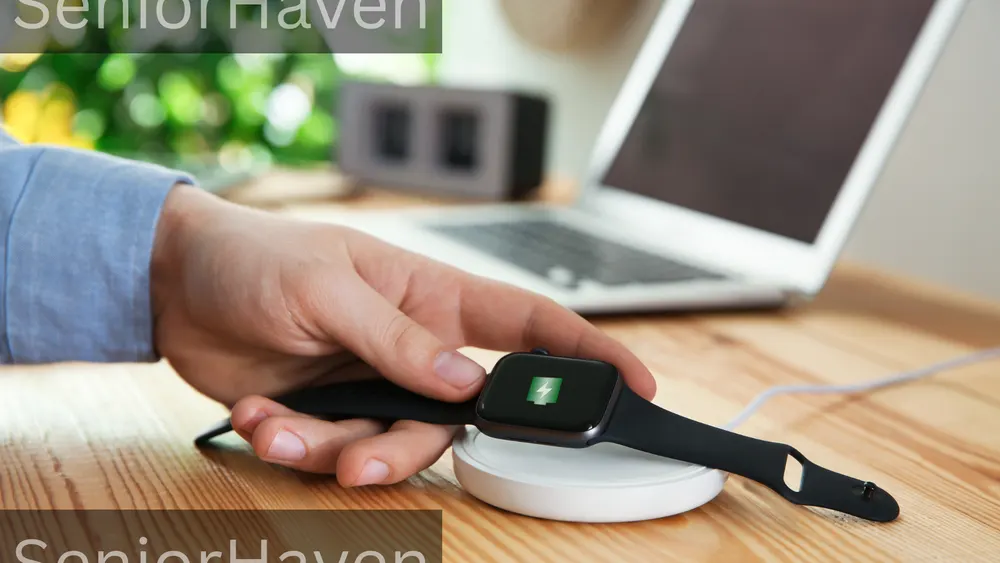
Shower-safe is not bath-safe: TELUS and Holo Alert rate their devices IP67 — shower-safe with towel-drying after, not submersion. Rinse off soap and lotion, dry the charging contacts, and never charge a wet device. Check straps and lanyards monthly; Lifeline Canada warns never to tie a knot in its neck cord, because a knot can defeat the break-away feature.
When to Involve a Professional
A fall is a signal, not just an accident. If your parent has fallen once, tell their doctor soon, not at the next routine visit: falls can signal medication side effects, blood pressure drops, vision changes, or a neurological change. Ask for a medication review for dizziness and drowsiness, a vision and hearing check, and whether a physiotherapist or occupational therapist should assess the home — grab bar placement, lighting, and bathroom setup prevent the falls a detector can only report. Involve a professional urgently if a fall involved a head strike, loss of consciousness, inability to get up, new confusion, slurred speech, or one-sided weakness: call 9-1-1 first and sort out the device later.
No-monthly-fee fall detection in Canada: what you actually give up
A device with no monthly fee calls people you choose — or 9-1-1 directly — instead of a staffed response centre. That is a real saving and a real trade: nobody watches 24/7, nobody holds your parent's profile and acts when they cannot speak, nobody dispatches help if your contacts miss the call, and nobody tests the system for you. The Apple Watch is the verified version of this trade in Canada: no monitoring fee, but no operator, and it needs an iPhone plus cellular service or a nearby phone. The "no fee" listings that promise a monitored centre with no monthly bill are describing a misunderstanding — usually the "no hidden fees" wording of a monitored plan, quoted without the monthly figure that follows it.
Frequently asked questions
- Does fall detection work in Canada — and does it call 9-1-1?
- Yes, but "works" and "calls 9-1-1" are different claims. Monitored Canadian services (TELUS, Holo Alert, Life Assure, Lifeline Canada) contact their own response centre first; the operator then follows the profile — emergency contacts, 9-1-1, or both.
- Does Apple Watch fall detection work in Canada?
- Fall Detection is built into Apple Watch SE or later, Series 4 or later, and all Ultra models, and Apple Support describes the same behaviour without a Canada-only exception: a hard fall triggers an alert, and after about a minute of immobility the watch calls emergency services automatically, then messages the Medical ID contacts with the location. It turns on automatically at 55 or over when age is entered, is available only from age 18, and needs cellular, Wi-Fi calling, or a nearby iPhone.
- Are there fall detection devices with no monthly fee in Canada?
- No verified Canadian monitored service has no monthly fee — "no hidden fees" (Life Assure's wording) means no surprise charges on a monthly plan, not no monthly plan. The verified no-monthly-fee option is the Apple Watch: no monitoring fee, but no operator, and it needs an iPhone plus cellular service or a nearby phone.
- How much does TELUS Medical Alert cost in Canada?
- On TELUS's products page, read October 30, 2026: the Medical Alert Pendant starts from $55 a month for existing TELUS Home, Mobility, or Koodo customers on a 1-year term, with a one-time $35 activation fee and fall detection included. The LivingWell Companion Home system starts from $35 a month on the same conditions, and its comparison table does not list the fall-detection feature. The month-to-month price, non-customer price, and any exit charge were not published on the pages I read — get all three in writing.
- What does Life Assure charge — and is fall detection included?
- On Life Assure's own pages, read October 30, 2026: Classic Home starts at $34.95 a month and Premium Mobile Plus at $54.95 a month, with no contract, no hidden fees, and free shipping. Fall detection is an optional upgrade on both, and the add-on price was not published on the pages I read.
- Does Lifeline Canada publish its prices online?
- No. Lifeline Canada's website does not publish monthly prices; its FAQ says the monthly fee (monitoring plus equipment rental) and a one-time activation fee may vary by equipment and area, that there are no hidden costs, and that you can cancel at any time — and directs readers to call 1-866-801-1595 for pricing. Fall detection is available, including on the wrist model.
- Who gets called first when a fall is detected?
- It depends on the device. On monitored services, the response centre answers first — at TELUS, an automated assistant answers first, then an operator if the wearer asks for help or cannot respond — and the operator follows the profile: contacts, emergency services, or both.
- Will fall detection catch every fall?
- No — and every honest provider here says so. Apple, TELUS, and Holo Alert all state detection cannot or might not catch all falls.
- Can the device be worn in the shower?
- Ask for the exact device and its rating, not a reassurance. The TELUS Pendant and Holo Pro and Mini are IP67: shower-safe, towel-dried after, not for submersion — a bath is not a shower.
- Will it work away from home, in rural areas, or in winter?
- Only mobile cellular/GPS devices work away from home; base-station systems protect only the area around the base. In rural areas everything depends on signal at the actual address — TELUS states poor coverage can impair calling, detection, and location.
- Is help available in French?
- It depends on the provider — verify it for the wearer's language before ordering. TELUS's FAQ states French-language support hours and a translation service covering 140+ languages at its monitoring centres, and TELUS has announced its Health Companion service on Apple Watch for English and French speakers across Canada.
- Are there contracts, and what happens if we cancel?
- It varies widely. TELUS's headline prices are one-year-term prices for existing customers; the month-to-month price and any exit charge were not published on the pages I read — ask for both in writing. Holo Alert states no long-term commitment, with annual plans saving two months.
- My mother, 84, lives alone in a rural Ontario farmhouse with patchy cell service and a long driveway. What should we actually do?
- Start with the signal, not the shopping. Test cellular coverage in the kitchen, bathroom, bedroom, and yard on the carrier the device would use — every mobile device here fails where there is no signal, and TELUS says so directly.
- My father, 76, lives in Montreal, speaks French, walks every day, and refuses anything that looks medical. What fits him?
- Only the watch form survives contact with a man like this: an Apple Watch if the iPhone world exists in his life, set up in French with his correct age and Medical ID contacts and Fall Detection verified as on — or the Holo Mini, after verifying French-language operator availability directly. The daily walk rules out any home-only base station; he needs cellular GPS.
- My parent has dementia and might take the device off. Is automatic detection still worth it?
- Yes — this is the situation automatic detection exists for: a parent who cannot reliably press a button, or remember what it is for, needs the device to start the call itself, and GPS matters if wandering is a risk. But detection is one layer, not the whole plan.
Keep reading
Best Fall Detection Devices for Elderly Parents: 7 Picks for 2026 — the US edition of this guide, with American providers and prices.